

KYC verification Key Takeaways
Submitting ID, proof of address, and a selfie for KYC verification doesn’t have to be a headache.
- Lighting and document clarity are the top reasons for KYC avoid rejection success.
- Using KYC selfie tips — like a neutral expression and no sunglasses — cuts rejection rates significantly.
- Matching your name on all documents exactly as on your government ID is non-negotiable.
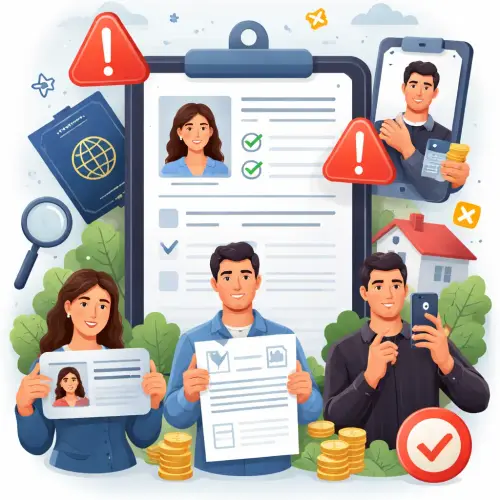
Why KYC verification Rejections Happen (and How to Stop Them)
Every day, thousands of people get their KYC verification rejected for reasons that are easy to fix. Banks, crypto exchanges, payment apps, and gambling sites all use automated or manual checks. If your documents don’t meet their standards, you’ll be stuck waiting or asked to resubmit.
The good news? Most rejections come down to just a few specific errors. Once you know what those are, you can submit your ID, proof of address, and selfie with confidence — the first time.
What Happens When KYC verification Fails?
When your verification fails, you usually receive a generic message like “document unclear” or “information mismatch.” That forces you to guess what went wrong. By understanding the precise rules platforms use, you eliminate that guesswork.
Mistake #1: Submitting Expired or Damaged ID Documents
The most basic KYC avoid rejection rule is to check the expiry date on your passport, driver’s license, or national ID card. Even if it expired last week, most systems will reject it automatically.
How to Fix This
Use only valid, government-issued identification that is intact — no torn edges, peeling lamination, or faded text. If your ID is damaged, order a replacement before you start KYC verification.
Mistake #2: Proof of Address That’s Too Old
Your utility bill, bank statement, or government letter must be recent — usually issued within the last 90 days. Some platforms require it to be within 60 days. An old document will trigger a rejection every time. For a related guide, see Gbet Loyalty Pays: Reload, Cashback and VIP Tiers Explained.
How to Choose the Right Document
- Bank and credit card statements are widely accepted.
- Utility bills (water, electricity, gas) work best.
- Insurance documents or tax assessments also qualify on many platforms.
- Mobile phone bills are accepted by some but not all services.
Pro tip: Make sure the address on the document exactly matches the address you entered in your account. Even a missing apartment number can cause a mismatch. For a related guide, see Slot Machine Myths: 3 False Beliefs You Must Avoid (Hot Machine, Due Win).
Mistake #3: Taking a KYC selfie in Bad Lighting
Your KYC selfie is compared to the photo on your ID. If your face is in shadow, partly covered by hair, or blurred, the automated system can’t match you. This is one of the most common KYC selfie tips that people overlook.
The Right Way to Take a KYC Selfie
- Stand facing a bright, even light source — natural daylight from a window works best.
- Remove sunglasses, hats, and masks. Religious headwear is usually allowed if your face is clearly visible.
- Keep a neutral expression with your eyes open and mouth closed.
- Hold your phone at arm’s length, slightly above eye level.
- Make sure your entire face is within the frame, from the top of your forehead to the bottom of your chin.
Mistake #4: Cropping Flags or Borders on ID Photos
When you scan or photograph your ID, some people try to crop out the edges to make it look cleaner. That often removes security features like holograms, watermarks, or borders that verify authenticity. Without those, the system treats the document as invalid.
How to Submit Your ID Correctly
- Place your ID on a dark, solid background (no patterns).
- Ensure all four corners are visible in the frame.
- Avoid glare — tilt the document slightly if needed.
- Use a scanner app for best results. Free ones like Adobe Scan or Google Drive Scan work great.
Mistake #5: Using Digital or Screenshot Copies of Paper Documents
Some people think they can take a screenshot of their online bank statement and upload it as proof of address. Automated KYC verification systems usually reject these because they lack the proper formatting, watermarks, and metadata of an official PDF or downloaded statement. For a related guide, see 5 Common Online Gambling Myths Debunked: Avoid These Costly Mistakes.
- For bank statements: Download the official PDF from your bank’s website.
- For utility bills: Scan the paper original or download the PDF from the utility portal.
- Never edit or alter the document in any way — that guarantees rejection.
Mistake #6: Mismatching Personal Information
This might sound obvious, but small differences in name spelling, birth date, or even middle name vs. initial can sink your KYC verification. For example, if your passport says “John A. Smith” but your bank statement shows “John Adam Smith,” some platforms will flag it.
How to Ensure Consistency
Double-check your account profile. The name you enter must match your government ID exactly. If your legal name includes a middle name, enter it. If your ID uses a suffix (Jr., III), include it. For proof of address, the name and address must match your ID and account profile.
Mistake #7: Ignoring Platform-Specific Requirements
Every platform has its own KYC verification rules. Some require a live video selfie (liveness check), others accept a static photo. Some want both sides of your ID, while others only need the front. Ignoring these instructions is a guaranteed way to get rejected.
Before You Submit
- Read the platform’s KYC guidelines thoroughly.
- Check if they accept digital vs. paper documents.
- See if they allow scanned copies or only photos.
- Some platforms require a specific file format (JPEG, PNG, PDF) and file size limit.
- If you’re unsure, contact customer support before submitting.
Best Practices for a Smooth KYC verification Experience
Follow this checklist before you hit the submit button:
- Prepare fresh documents — nothing expired, nothing torn.
- Use a clean, well-lit environment for your selfie and document photos.
- Ensure name and address consistency across all documents and your profile.
- Read the platform’s KYC instructions — they vary.
- Use proper file formats — typically JPEG, PNG, or PDF under 10 MB.
- Avoid any digital editing — even cropping too tightly can cause rejection.
Useful Resources
For more detailed guidance on document requirements, check the official FATF recommendations on KYC. If you’re dealing with a specific platform, many have their own help pages — for instance, Coinbase’s identity verification guide provides clear step-by-step instructions.
Frequently Asked Questions About KYC verification
What documents are accepted for KYC verification ?
Accepted documents typically include a valid passport, driver’s license, national ID card, or residence permit for ID. For proof of address, utility bills, bank statements, or government letters dated within 90 days are standard.
How long does KYC verification usually take?
It depends on the platform. Automated checks can complete in minutes. Manual review may take 24 to 48 hours, sometimes longer during high demand.
Can I use a digital copy of my ID for KYC verification ?
Many platforms accept scanned or photographed copies of physical IDs. Some also accept digital IDs from government apps, but this varies by provider.
What happens if my KYC verification is rejected?
You’ll usually receive an email or in-app notification explaining why. You can then resubmit corrected documents. Most platforms allow multiple attempts.
Why was my selfie rejected during KYC verification ?
Common reasons include bad lighting, face partially covered, eyes closed, or the selfie not matching your ID photo. Follow KYC selfie tips like using even lighting and a neutral expression.
Do I need to show my full face in the selfie?
Yes. The entire face must be visible from forehead to chin. No sunglasses, hats, or masks. Religious head coverings are usually permitted.
Can I submit a black-and-white copy of my ID?
Most platforms require color copies so that security features like holograms and watermarks are visible. Black-and-white copies often get rejected.
What is a liveness check in KYC verification ?
A liveness check is a real-time video or motion selfie that proves you are physically present and not using a photo or video. It prevents fraud.
Can I use a PO Box as my address for proof of address?
No. Proof of address must show your physical residential address. PO boxes are not accepted by most platforms.
Is it safe to upload my ID online for KYC verification ?
Yes, if you are using a legitimate, regulated platform. Look for HTTPS in the URL and read their privacy policy. Avoid sharing documents on unverified sites.
What file size and format does KYC verification require?
Most platforms accept JPEG, PNG, or PDF files under 10 MB. Check the specific platform’s guidelines before uploading.
Can I edit my document to hide sensitive information?
No. Editing or redacting any part of the document is not allowed. It will be flagged as tampered and rejected.
Why does my bank statement need to be recent?
To confirm you still live at that address. An old statement suggests you may have moved, which weakens the proof of your current residence.
Do I need to submit both sides of my ID?
Some platforms require both front and back, especially for driver’s licenses and national IDs that have information on the reverse side. Always check their instructions.
Can a utility bill be in my spouse’s name?
Usually not. The proof of address document should be in your name. If it’s in a spouse’s name, you may need additional documents like a marriage certificate.
What should I do if my name has changed recently?
Provide supporting documentation such as a marriage certificate or deed poll to bridge the name change. Your current name must match your ID.
Does KYC verification work for non-citizens?
Yes, most platforms accept a valid foreign passport plus a residence permit or visa as proof of address in the country where you reside.
Can I use my phone to take document photos?
Yes, as long as the photo is clear, well-lit, and all four corners of the document are visible. Use a flat surface and avoid shadows.
What is the best way to avoid KYC rejection ?
Follow the platform’s instructions exactly, use valid and current documents, ensure all names match, and submit a clear, well-lit selfie. That covers 90% of rejections.
Is KYC verification required for all financial services?
Most regulated financial service providers, including banks, crypto exchanges, and online gambling sites, are legally required to perform KYC. It is a standard anti-money laundering measure.