

geo-blocking explained Key Takeaways
Geo-blocking is a digital barrier that restricts access to online content based on your geographic location.
- Geo-blocking explained as a licensing, legal, or security measure — not a personal attack on your IP address.
- Each country has distinct reasons for blocking foreign IPs, from copyright laws to fraud prevention.
- Simple tools like VPNs and Smart DNS can help you bypass geo-blocks, but you must choose trustworthy services to protect your privacy.
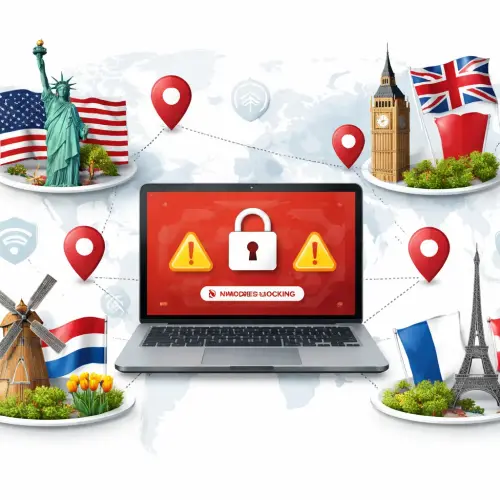
What Readers Should Know About Geo-blocking Explained
Geo-blocking happens when a website or streaming service checks your IP address and determines it comes from a restricted location. The technology uses geolocation databases that map IP ranges to countries, regions, and even cities. If your IP falls outside the allowed area, you see an error message, a redirect, or a blank page.
This practice is widespread across the US geo-block, UK geo-block, France geo-block, and Netherlands geo-block scenarios. Understanding why IP is blocked in these countries requires looking at the legal and commercial factors that drive geo-restrictions.
Why Your IP Gets Rejected — Common Reasons Across All Four Countries
Before diving into country-specific causes, it helps to know the universal triggers that lead to an IP rejected message. These apply whether you’re trying to access a US streaming library, a UK bank portal, or a French e-commerce site.
Content Licensing Agreements
Media companies buy rights to show movies, sports, and shows only in certain territories. For example, Netflix in the US has a different catalog than in the Netherlands. If your IP suggests you’re outside the licensed region, the service blocks access to comply with contracts.
Regulatory Compliance
Financial institutions and gambling sites must follow local laws. A UK geo-block on a betting site may be required by the UK Gambling Commission to prevent unlicensed operators from serving British users. Similarly, French authorities enforce strict rules on online casinos, leading to France geo-block for foreign gambling platforms.
Fraud Prevention and Security
Banks and e-commerce sites often block IPs from high-risk countries to prevent fraud. If you’re traveling and try to log into your US bank account from abroad, you may face a temporary block until you verify your identity.
Country-Specific Reasons for Geo-blocking Explained
US geo-block — Copyright Law and Licensing Markets
The United States has some of the most aggressive geo-blocking practices, largely driven by its multi-billion-dollar entertainment industry. Major streaming services like Hulu, HBO Max, and ESPN+ restrict access to US IPs only because they hold exclusive regional licenses. Additionally, US broadcasters often block live sports events for international viewers due to separate broadcasting deals in other countries. For a related guide, see Gbet Loyalty Pays: Reload, Cashback and VIP Tiers Explained.
Another layer is the Digital Millennium Copyright Act (DMCA), which pressures platforms to block users from countries known for piracy. If your IP is flagged as coming from a nation with lax copyright enforcement, you may be blocked from US media sites entirely.
UK geo-block — Public Broadcasting and Gambling Restrictions
The UK geo-block is most visible on BBC iPlayer, which requires a UK IP address to stream. This is because the BBC is funded by a license fee paid by UK households, so it legally cannot offer free content to international audiences. However, the UK also has strict rules on gambling and financial services. Many overseas casinos and forex brokers are blocked at the ISP level to protect consumers from unregulated operators. If you see an “IP rejected” error on a UK betting site, it may mean the site is not licensed by the UK Gambling Commission. For a related guide, see YMYL Statement Explained: 1 Risk to Know About Gambling Content.
France geo-block — Protectionism and Licensing Strictness
France enforces some of the toughest geo-blocking rules in Europe, especially for audiovisual content. The “Canal+” and “France Télévisions” platforms block foreign IPs to comply with French film licensing windows. Under French law, movies shown in cinemas cannot appear on streaming services for a set period, and those windows vary by country. This forces platforms to block non-French IPs to avoid violating distribution contracts. Additionally, France blocks many foreign online casinos to protect its state-run gambling monopoly, leading to frequent France geo-block situations for gaming sites.
Netherlands geo-block — Selective Enforcement and Sports Rights
The Netherlands geo-block is less aggressive than in the US or France, but it’s still common on premium sports streaming services. Dutch broadcasters like Ziggo Sport and Viaplay hold exclusive rights to football (soccer) leagues such as the Eredivisie and Premier League. They block IPs from outside the Netherlands to prevent users from circumventing regional pricing. Another cause: some Dutch news sites and public broadcasters restrict access to EU IPs only, due to GDPR compliance complexities. Non-EU visitors often see an “IP rejected” message on NPO Start or NOS.nl.
How to Bypass Geo-blocking Safely — Practical Steps
If you need to access a site that uses geo-blocking explained above, there are legal ways to do it. The most reliable method is using a VPN (Virtual Private Network) that masks your real IP address and assigns one from the target country. Many reputable VPNs offer servers in the US, UK, France, and Netherlands.
Step 1: Choose a Trustworthy VPN Service
Not all VPNs work with every streaming service. Look for a provider with a proven track record of bypassing geo-blocking on platforms like Netflix, BBC iPlayer, and Hulu. Check server availability in the country you need. Also ensure the VPN has a no-logs policy and strong encryption to protect your data.
Step 2: Test Your Connection Before Important Sessions
After installing the VPN, connect to a server in the target country and visit a site like whatismyipaddress.com to confirm your IP appears to be from that location. Then try accessing the blocked resource. If it still doesn’t work, the service may have updated its detection methods. In that case, switch to a different server or try a dedicated IP option if available.
Step 3: Use Smart DNS as an Alternative
Smart DNS can be more effective than a VPN for streaming on devices that don’t support VPN apps (like smart TVs or game consoles). It only reroutes the traffic needed to verify your location, leaving your internet speed unaffected. However, Smart DNS does not encrypt your traffic, so pair it with a VPN for sensitive activities like banking.
Troubleshooting Common IP Rejected Errors
Even with a VPN or Smart DNS, you may occasionally encounter an IP rejected message. Here’s what to check:
- DNS leaks: Your real IP may be exposed if your VPN leaks DNS queries. Enable kill switch and IPv6 leak protection in your VPN settings.
- WebRTC leaks: Browser-based leaks can reveal your true IP. Install a WebRTC blocker extension or disable WebRTC in your browser settings.
- Blacklisted IP ranges: Some streaming services block known VPN IP addresses. Try connecting to a different server or use a residential proxy service.
- Cookies and browser fingerprinting: Some sites use browser fingerprints to detect location even with a VPN. Use a clean browser profile or incognito mode when testing.
Optimization Tips for a Smoother Experience
Once you’ve bypassed the geo-blocking, you may notice slower speeds or buffering. To optimize performance:
- Choose a VPN server physically closest to the content source. For example, if you need a US geo-block bypass, pick a server on the West Coast if you’re on the West Coast.
- Use the VPN protocol that balances speed and security. WireGuard is often faster than OpenVPN on supported apps.
- If streaming in 4K, ensure your internet speed is at least 25 Mbps. A high-quality VPN may reduce speed by up to 30%, so start with a fast base connection.
Useful Resources
For more details on geo-blocking explained and how to stay safe online, explore these authoritative sources:
- Electronic Frontier Foundation — Geo-blocking and Digital Rights: A deep dive into the legal and ethical issues surrounding geo-restrictions.
- PrivacyTools — How to Choose the Best VPN: Practical criteria for evaluating VPN services, including logging policies and server locations.
Frequently Asked Questions About geo-blocking explained
What is geo-blocking explained in simple terms?
Geo-blocking is a technique websites use to restrict access based on your geographic location, identified by your IP address. It’s commonly used for licensing, legal compliance, or security reasons.
Why do I see “ IP rejected ” when trying to access US sites?
US sites often block IPs from outside the country due to content licensing agreements, DMCA compliance, or fraud prevention. This is a typical US geo-block scenario.
Can I bypass UK geo-block to watch BBC iPlayer?
Yes, using a VPN with a UK server can give you a UK IP address. However, BBC actively blocks known VPN IPs, so you may need a premium VPN with dedicated UK IPs.
Why does France geo-block seem stricter than other countries?
France has strong film distribution laws and a state-controlled gambling system, leading to aggressive blocking of foreign IPs on streaming services and casino sites.
What makes Netherlands geo-block different from other EU nations?
The Netherlands focuses mainly on sports streaming rights and some public broadcasting restrictions. It’s generally more permissive than France regarding foreign content.
Is geo-blocking legal?
In most cases, yes. Companies have the right to restrict access to their services under contractual obligations. However, the EU has regulations banning unjustified geo-blocking for cross-border shopping within the EU.
Can I use a free VPN to bypass geo-blocking explained ?
Free VPNs often have limited servers, slow speeds, and weak security. Many streaming services already block free VPN IP ranges. For reliable access, a paid VPN is recommended.
Will using a VPN protect my privacy while bypassing geo-blocking ?
Yes, a good VPN encrypts your internet traffic and hides your real IP from the site. Choose a provider with a strict no-logs policy and strong encryption.
Why do I get an “ IP rejected ” error even with a VPN?
The site may have blacklisted the VPN server’s IP range. Try switching to another server or contacting your VPN support for a dedicated IP option.
Does why IP is blocked vary by browser or device?
No, geo-blocking operates at the IP level, so it affects all browsers and devices on the same network. However, browser fingerprinting can add an extra layer of detection.
Can I access US Netflix from Europe with a VPN?
Yes, many VPNs can unblock Netflix US, but Netflix actively blocks VPN traffic. Choose a VPN known for consistent unblocking and fast speeds.
What is Smart DNS, and does it bypass geo-blocking ?
Smart DNS reroutes only the location-checking traffic, allowing you to access geo-restricted content without encrypting all data. It’s useful for devices that can’t run VPN apps.
Is it safe to use a proxy server to get a US geo-block bypass?
Free proxies are risky because they may log your traffic and inject ads. Paid residential proxies are more secure but still less safe than a good VPN.
Will I get in trouble for bypassing geo-blocking ?
In most countries, bypassing geo-restrictions for personal use is not illegal, but it may violate the service’s terms of use. Check local laws, especially regarding gambling or copyright.
Why do some sites block my IP even though I’m in the allowed country?
Your IP may be misidentified due to outdated geolocation databases. You can contact the site’s support or use a different IP from the same country to resolve this.
Can I bypass France geo-block without a VPN?
Smart DNS or a proxy can work, but many French sites have strong detection. A good VPN with French servers is the most reliable solution.
What is the difference between regional blocking and geo-blocking ?
Regional blocking usually refers to content restrictions within a country (e.g., blackout restrictions on local sports). Geo-blocking as used here refers to country-level IP filtering.
Does geo-blocking explained apply to all websites?
No, it depends on the site’s business model. E-commerce, streaming, banking, and gambling sites are most likely to use geo-blocking. Many informational sites do not.
How can I check if my IP is blocked by a specific country?
You can try visiting the site from a different IP address using a VPN or proxy to test. Alternatively, use tools like Geo-blocking Checker to see if your IP is restricted.
Will clearing cookies help me access geo-blocked content?
Clearing cookies alone won’t change your IP, so it won’t bypass geo-blocking. It may help if the site uses cookie-based session tracking, but the real block is based on your IP.