

Geo‑blocking Key Takeaways
Geo‑blocking can be frustrating, especially when you’re locked out of content you need or want.
- Different countries enforce geo‑blocking for distinct reasons, from licensing laws to regional regulations.
- Your IP address reveals your approximate location, and services use it to grant or deny access.
- With the right tools and knowledge, you can often bypass geo‑restrictions legally and safely.
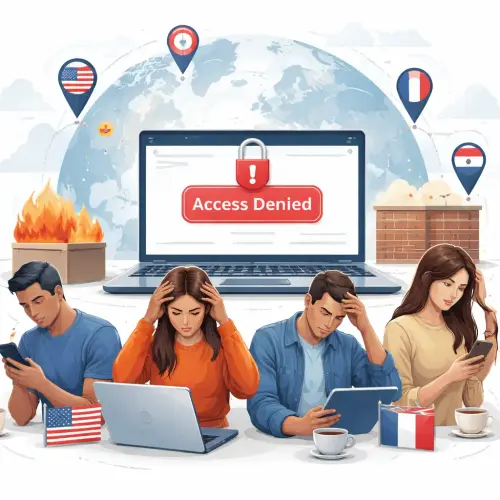
What Is Geo‑blocking and Why Does Your IP Get Rejected?
Geo‑blocking is the practice of restricting access to online content based on the user’s geographical location. When you try to reach a website or streaming service, the server checks your IP address. If that IP falls outside allowed regions, you receive an error or are redirected away — your IP gets rejected.
This happens because many digital services have licensing deals or legal obligations that limit where their content can be shown. For example, a TV network may own rights to broadcast a show only in the UK, so it blocks viewers from other countries.
Beyond media, geo‑blocking also protects against fraud, enforces gambling restrictions, and complies with local data privacy laws like the GDPR. Understanding these regional nuances helps you diagnose why you’re locked out.
Why the US Rejects Your IP
The United States is a major market for streaming services, online retailers, and news platforms. However, geo‑blocking is widespread due to complex content licensing and regional regulations.
Streaming Rights and Licensing
Services like Netflix, Hulu, and Amazon Prime hold different content libraries for different countries. If you’re outside the US, many titles originally licensed for American audiences are blocked. Your IP is rejected because the service has no right to stream that show to your location.
State-Specific Laws
Some US online services, particularly gambling and sports betting sites, must comply with individual state laws. If your IP appears to come from a state where online betting is illegal, access is denied. Also, certain news outlets restrict articles to US readers due to publisher agreements.
Fraud Prevention
E-commerce sites often block IPs from foreign countries to prevent fraudulent transactions. If you’re traveling and trying to buy from a US-only site, your IP may be rejected as a security measure.
Why the UK Rejects Your IP
The United Kingdom has a large online market, but its geo‑blocking landscape is shaped by broadcast licensing and data protection rules.
BBC iPlayer and TV Licensing
The BBC iPlayer is famously geo‑blocked outside the UK. Its content is funded by the UK TV Licence fee, so access is limited to British IPs. If your IP is from abroad, you’ll see a rejection message.
Gambling Regulations
The UK Gambling Commission requires licensed operators to verify players’ locations. If your IP is outside the UK or in a restricted region, you cannot play. This strict enforcement is meant to protect consumers and prevent underage gambling.
GDPR Compliance
Many UK websites assess your IP to determine if you fall under GDPR protections. While they rarely block entire countries, some services restrict content access based on data privacy rules, particularly for marketing or ad-related pages.
Why France Rejects Your IP
France combines strong cultural protection laws with EU-wide regulations, creating a unique geo‑blocking environment.
Culture and Cinema Protection
French law enforces media chronology, meaning films cannot be streamed until several months after theatrical release. Global streaming platforms often block French IPs from accessing movies that are still in the theatrical window. Conversely, if you’re outside France, some French TV replay sites like myTF1 will reject your IP.
Online Gambling Restrictions
France regulates online casinos and poker strictly through ARJEL (now part of ANJ). Only operators with a French license can offer services to French IPs. If you attempt to access an unlicensed site from a French IP, it will likely be blocked.
Data Localization
Some French services restrict access to IPs from outside the EU to comply with data localization policies. For instance, banking or government portals may reject foreign IPs for security reasons.
Why the Netherlands Rejects Your IP
The Netherlands has a progressive internet policy, but geo‑blocking still occurs for several key reasons.
Gambling Licensing
The Netherlands legalized online gambling in 2021 but only for licensed operators. Unlicensed international casinos are blocked for Dutch IPs. Meanwhile, some licensed Dutch casino sites restrict access to players physically in the Netherlands, rejecting foreign IPs.
Media Rights
Services like NPO Start (Dutch public broadcasting) are geo‑blocked to viewers within the Netherlands. If your IP is outside Dutch borders, shows and live events — including football matches — are unavailable.
Copyright Enforcement
Dutch copyright holders often request ISPs to block pirate sites. While this is less about your personal IP, your internet provider may block access to certain domains, making it appear as if your IP is rejected by the site itself.
How to Bypass Geo‑restrictions Legally
If your IP is rejected, you have several options to regain access without breaking the law.
Use a Reliable VPN
A VPN (Virtual Private Network) reroutes your internet traffic through a server in a country of your choice. Choose a reputable provider that offers servers in the US, UK, France, or Netherlands. Ensure it has strong privacy policies and fast speeds for streaming.
Always check the terms of service of the website you’re accessing. While many platforms tolerate VPNs, some actively block known VPN IP ranges.
Check Your Proxy or DNS Settings
Sometimes your browser or device is configured to use a proxy or DNS server that triggers geo‑blocks. Disable any manual proxy settings and let your IP resolve naturally. For smart DNS services, choose one designed for the specific region you need.
Contact Customer Support
If you’re a legitimate user (e.g., you have a paid subscription but are traveling), reach out to the service’s support team. Some platforms can whitelist your account temporarily or offer a regional version of their service.
Common Geo‑blocking Mistakes to Avoid
Many users accidentally worsen their situation by making these errors.
Using Free VPNs or Proxies
Free VPNs are often slow, sell your data, and maintain tiny IP pools that are easily blocked. Investing in a premium VPN saves time and frustration.
Ignoring Browser Fingerprinting
Even with a VPN, websites can detect your real location through browser settings like time zone, language, and screen resolution. Align these to match your VPN server region.
Not Clearing Cookies and Cache
If you previously visited a site with your real IP, the site may store cookies that reveal your location. Clear your browser data before attempting to access geo‑blocked content.
Useful Resources
Learn more about how IP addresses are used for location detection from WhatIsMyIPAddress’s guide to IP geolocation. For the latest updates on EU digital regulations affecting geo‑blocking, read the official European Commission’s FAQ on the Geo‑blocking Regulation.
Conclusion
Geo‑blocking affects millions of users daily, but understanding why your IP is rejected in the US, UK, France, or Netherlands empowers you to solve the problem. Whether it’s licensing laws, gambling regulations, or data protection rules, each country has distinct reasons for enforcing geographic restrictions. By using a reliable VPN, adjusting your browser settings, and avoiding common mistakes, you can access the content you need legally and safely. Always respect platform terms and regional laws, and you’ll master the art of navigating geo‑restrictions with confidence.
Frequently Asked Questions About Geo‑blocking
What exactly is geo‑blocking?
Geo‑blocking is a technology that restricts access to online content based on the user’s geographical location, determined by their IP address.
Why does my IP get rejected even when I’m in the allowed country?
Your IP may be part of a range previously used by a VPN or proxy, or your ISP’s routing data may be inaccurate. Try switching to a different network or contacting your ISP.
Is bypassing geo‑blocking illegal?
Generally, bypassing geo‑blocking is not illegal, but it may violate a service’s terms of use. Always check local laws and the platform’s policy.
Can a VPN always bypass geo‑blocking?
Not always. Some services actively detect and block VPN IPs. You may need to use obfuscated servers or try a different provider.
Why do some websites block all non-US IPs?
Common reasons include licensing restrictions, fraud prevention, or contractual obligations with advertisers and partners.
Does GDPR cause geo‑blocking in the UK and France?
GDPR itself does not require geo‑blocking, but some companies choose to block EU IPs to avoid compliance complexity, though this is rare.
Why does BBC iPlayer reject my IP if I live in the UK?
Your ISP may have assigned you a non‑UK IP block temporarily, or you might be using a proxy or DNS service that confuses the geolocation.
How do French streaming sites block foreign IPs?
They use IP geolocation databases and sometimes require a French IP address to access replay and live content.
Can I use a Smart DNS instead of a VPN for geo‑blocking?
Yes, Smart DNS can unblock content without encrypting your traffic, which sometimes avoids VPN detection. It works well for streaming.
Why do Dutch gambling sites reject foreign IPs?
Dutch law requires online casinos to verify that players are physically in the Netherlands at the time of play, so foreign IPs are automatically blocked.
What does and quot; IP rejected and quot; mean exactly?
It means the server has identified your IP address as coming from a region where the content is not allowed, and it denies your request.
How can I check which country my IP shows?
Visit websites like WhatIsMyIP.com or IPLocation.net to see your public IP and its geolocation.
Will a VPN slow down my internet speed?
Yes, VPNs add encryption overhead, but premium providers with optimized servers minimize speed loss for most activities.
Do all US streaming services block foreign IPs?
Most do, including Hulu, HBO Max, and Peacock. Netflix has different libraries per region but does not block global access to its service.
Can I use a free VPN to access UK content?
You can try, but free VPNs are often blocked by UK services and may have data caps or privacy risks.
Why does my IP get rejected even with a VPN?
The VPN server IP you’re using may be blacklisted by the target service. Switch to a different server or enable obfuscation.
Is geo‑blocking the same as censorship?
Not exactly. Geo‑blocking is usually commercial, while censorship involves government control of information for political reasons.
How do I know if my IP is blacklisted?
You can use online blacklist checkers like MXToolbox or WhatIsMyIPAddress to see if your IP appears on any blocklists.
Does incognito mode help bypass geo‑blocks?
No, incognito mode only prevents local history storage. Your IP address remains unchanged and still reveals your location.
What should I do if none of the bypass methods work?
Consider contacting the content provider’s support, using a different VPN provider, or checking if the content is available on an alternative platform in your region.