

two-factor authentication Key Takeaways
Did you know that enabling two-factor authentication on your online accounts can block up to 99% of automated hacking attempts?
- two-factor authentication adds a second verification step beyond your password, making stolen passwords useless to attackers.
- You can enable 2FA on email, banking, social media, and work accounts in roughly two minutes per service.
- Using authenticator apps or hardware security keys is far safer than SMS-based codes, which can be intercepted.
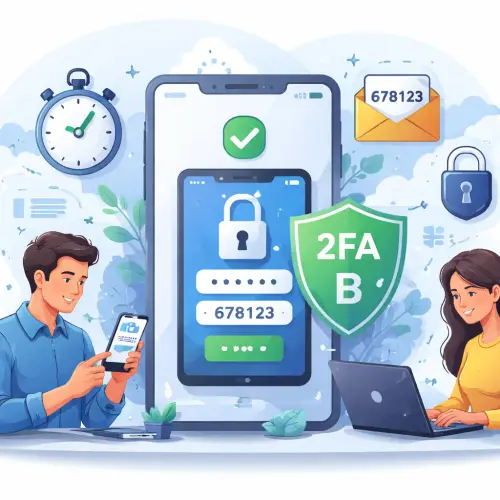
Why two-factor authentication Matters in 2025
Every day, thousands of people have their accounts compromised because their password was guessed, stolen in a data breach, or reused from another site. Hackers use automated tools that test billions of password combinations per second. A strong password helps, but it is no longer enough on its own.
two-factor authentication (2FA) adds a second layer of protection. Even if a hacker knows your password, they cannot log in without the second factor — typically a one-time code from an app, a biometric scan, or a physical key. This extra step stops 99% of automated attacks, according to a 2023 analysis by Microsoft. The best part? It only takes about two minutes to turn on.
How two-factor authentication Blocks Hackers
To understand why 2FA is so effective, you need to know how most hacks happen. Attackers either guess weak passwords, buy stolen credentials from the dark web, or trick users into revealing them via phishing. Once they have your password, they try to log in immediately.
The Two Layers of Security
With two-factor authentication enabled, the login process requires two independent pieces of evidence:
- Something you know — your password
- Something you have — your phone, authenticator app, or security key
Because the attacker does not have physical access to your second factor, the login attempt fails. This simple principle makes 2FA the single most effective protection against credential theft and account takeover.
Why SMS Codes Are Less Secure
Many services offer SMS-based 2FA, which sends a code via text message. While better than nothing, SMS codes can be intercepted through SIM-swapping attacks. For stronger security, use an authenticator app like Google Authenticator, Authy, or Microsoft Authenticator, or a hardware key like YubiKey.
Your 2-Minute 2FA setup Guide
Follow these five steps to enable two-factor authentication on your most critical accounts. The process is nearly identical across major platforms. For a related guide, see Close Gbet Account Temporarily or Permanently – 3 Safe Steps.
Step 1: Choose Your Accounts
Start with your email account (this is the key to resetting all others), your primary bank, your social media profiles, and any work systems that contain sensitive data. Most services support 2FA under Security or Password settings. For a related guide, see 5 Proven Ways to Reset Gbet Password Without Support.
Step 2: Pick Your Authentication Method
Decide whether you will use an authenticator app, a hardware security key, or SMS. For maximum security, choose the app or hardware key. Download an authenticator app on your smartphone before proceeding.
Step 3: Navigate to Security Settings
Log into your account, go to Settings, and look for Security, Password and Security, or Privacy and Security. On most services, you will find a section labeled “two-factor authentication” or “2-Step Verification.”
Step 4: Follow the On-Screen Prompts
Click “Enable” or “Get Started.” The service will display a QR code. Open your authenticator app, tap the plus icon, and scan the QR code. The app will generate a six-digit code that refreshes every 30 seconds. Enter that code into the website to confirm the connection.
Step 5: Save Backup Codes
Almost every service provides backup codes during setup. Copy these codes and store them in a safe place offline (like a locked drawer or a password manager). If you lose your phone, you can use a backup code to regain access.
Common Obstacles During 2FA setup (and How to Fix Them)
I Don’t Have a Smartphone
You can still use two-factor authentication with a hardware security key (e.g., YubiKey) or a desktop authenticator app like WinAuth on Windows. Some services also allow voice calls to a landline.
I Lost My Phone
If you saved your backup codes, use one of them to log in. Then immediately disable and re-enable 2FA on a new device. Without backup codes, account recovery becomes much harder — so saving them is essential.
Codes Aren’t Working
Make sure your device’s time and date are set to automatic. Authenticator apps rely on time synchronization. Also, try using the app’s “Time Correction” feature if available.
How to Optimize Your two-factor authentication for Everyday Use
- Use the same authenticator app for all accounts — it keeps your codes organized in one place.
- Enable biometric unlock on the authenticator app itself (fingerprint or face scan) to prevent others from seeing your codes if your phone is unlocked.
- Keep a printed list of backup codes in a physical safe or with a trusted person.
- Consider a hardware key for your most sensitive accounts (email, password manager). It is phishing-resistant and works without a battery.
Useful Resources
For a deeper dive into two-factor authentication best practices, check out these authoritative sources:
- CISA — Two-Factor Authentication Guidance — official government resource with setup tips and security recommendations.
- Microsoft Security — What Is Two-Factor Authentication? — explains how 2FA blocks 99% of attacks with real-world statistics.
Frequently Asked Questions About two-factor authentication
What is two-factor authentication ?
two-factor authentication is a security process that requires two separate forms of identification before granting access to an account. Typically, this is your password plus a one-time code from an app or a fingerprint scan.
Does two-factor authentication really block 99% of hacks?
Yes. Microsoft and Google have both published research showing that enabling 2FA stops over 99% of automated hacking attempts, because attackers rarely have access to the second factor.
How do I enable 2FA on my Gmail account?
Go to your Google Account, select Security, then click on “2-Step Verification.” Follow the prompts to add a phone number or an authenticator app. You can enable two-factor authentication in about two minutes.
Is SMS-based 2FA safe?
SMS-based 2FA is better than no 2FA, but it is vulnerable to SIM-swapping and interception. Authenticator apps or hardware keys are much more secure for two-factor authentication.
Can I use 2FA without a phone?
Yes. You can use a hardware security key (like YubiKey) or a desktop authenticator app such as WinAuth. Some services also support voice calls to a landline as a second factor.
What if I lose my phone with the authenticator app?
If you saved your backup codes during setup, you can use one to log in and then re-enable 2FA on a new device. Without backup codes, account recovery can be difficult, so always save them securely.
Which accounts should I enable 2FA on first?
Prioritize your email account (because it can reset other passwords), your primary bank, social media profiles, and any work accounts. two-factor authentication on email is the most impactful single step you can take.
How does 2FA protect against phishing?
Even if you accidentally enter your password on a fake site, the attacker cannot log in without the second factor. Hardware security keys specifically prevent phishing because they only work on the real website.
What is the difference between 2FA and MFA?
two-factor authentication (2FA) is a subset of multi-factor authentication (MFA). MFA can involve two or more factors, while 2FA always uses exactly two. In practice, the terms are often used interchangeably.
Are authenticator apps free?
Yes, most authenticator apps like Google Authenticator, Authy, and Microsoft Authenticator are completely free. They generate as many codes as you need for unlimited accounts.
Can I use the same authenticator app for multiple accounts?
Absolutely. A single authenticator app can store codes for dozens of services. This keeps your two-factor authentication setup tidy and accessible from one place.
Do I need an internet connection to use an authenticator app?
No. Authenticator apps generate codes locally on your device using an algorithm, so they work even without an internet or cellular connection.
What happens if my phone battery dies?
If your phone is dead, you cannot generate new codes. That is why you should store backup codes in a separate location or keep a hardware key as a secondary method.
Is it safe to use 2FA on shared or public computers?
It is safer than using only a password, but still risky. If you must log in on a public computer, ensure you log out completely and never save the session. two-factor authentication reduces the risk of password theft but does not protect against keyloggers or session hijacking.
Can 2FA be bypassed?
In rare cases, sophisticated attackers can bypass 2FA using real-time phishing, malware that steals cookies, or social engineering with tech support. However, these attacks are much harder and less common than credential stuffing. Enabling 2FA still massively improves your security posture.
Does 2FA slow down my login process?
Adding 2FA adds about 10 to 15 seconds to each login. Most services let you trust the device for 30 days, so you only need the second factor once per month on that device.
What is a hardware security key?
A hardware security key is a small USB or NFC device that you physically plug in or tap to verify your identity. It is one of the most secure forms of two-factor authentication and is resistant to phishing.
How do backup codes work?
Backup codes are one-time-use codes generated during 2FA setup. They allow you to log in if you lose access to your primary second factor. Each code works only once, so store them carefully.
Can I disable 2FA if I change my mind?
Yes, you can disable 2FA at any time from the same security settings where you enabled it. However, we recommend keeping it on for all accounts that support it to maximize protection.
Does every website support 2FA?
No, but most major platforms do. You can check 2FA Directory to see which services offer two-factor authentication and what methods they support.